


Imagine navigating a website where the text is too small to read, colors blend into the background, and buttons are difficult to click. This is the reality for millions of people with disabilities worldwide.
Inclusive design ensures that products, websites, and digital experiences are accessible to as many people as possible, regardless of their abilities. It is not merely an additional feature but a necessity for creating a more equitable digital world.
What is Inclusive Design?
Inclusive design extends beyond accessibility. While accessibility focuses on removing barriers for people with disabilities, inclusive design considers the needs of all users from the outset. It accounts for different abilities, backgrounds, and experiences to create a universally usable product.

The Key Principles of Inclusive Design
1. Equitable Use
The design should be useful and accessible to people with diverse abilities. Whether a user has full vision, is colorblind, or relies on screen readers, the experience should remain seamless.
2. Flexibility in Use
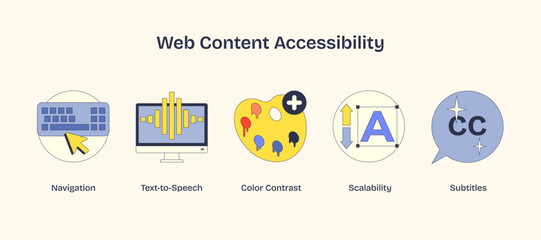
Different users interact with digital products in various ways. Providing multiple navigation methods—such as keyboard shortcuts, voice commands, or alternative input methods—ensures that everyone can engage effectively.
3. Simple and Intuitive Design
A well-designed product should be easy to use for individuals of all ages and technical skill levels. Simple navigation, clear instructions, and logical workflows reduce cognitive load.
4. Perceptible Information
Information should be presented in different formats—text, audio, and visual—to accommodate varying user needs. This benefits not only people with disabilities but also those in challenging environments, such as someone reading in bright sunlight or a noisy area.
5. Tolerance for Error
An inclusive design should anticipate errors and offer solutions for recovery. Features such as undo options, clear error messages, and confirmations before critical actions help mitigate user frustration.
6. Low Physical Effort
Tasks should not require excessive physical effort. Users should be able to complete actions with minimal strain, which is particularly important for individuals with motor impairments.
7. Size and Space for Approach and Use
The design should accommodate all users, whether they are using a mouse, a touchscreen, or assistive technology such as eye-tracking software.
Real-World Examples of Inclusive Design
1. Microsoft’s Inclusive Toolkit
Microsoft's Inclusive Design Toolkit promotes designing for individuals with specific needs while benefiting a broader audience.
2. Apple’s VoiceOver and Accessibility Features
Apple integrates accessibility features across its products, including VoiceOver (a screen reader) and customizable touch gestures, making devices usable for visually impaired users.
3. Google’s Live Transcribe
Google’s Live Transcribe converts speech into text in real time, assisting individuals with hearing impairments and proving useful in noisy environments.
Steps to Implement Inclusive Design
a. Conduct Research and User Testing
Understanding user needs is fundamental to inclusive design. Conduct research, interviews, and usability testing with diverse groups, including individuals with disabilities.
b. Use Accessibility Standards as a Baseline
Following Web Content Accessibility Guidelines (WCAG) ensures a product meets minimum accessibility requirements. However, designing beyond compliance ensures greater inclusivity.
c. Design with Assistive Technologies in Mind
Ensure compatibility with screen readers, speech recognition software, and alternative input devices. Testing products with tools such as NVDA, JAWS, or Apple’s VoiceOver is essential.
d. Provide Alternative Content Formats
Offer captions for videos, transcripts for audio content, and text alternatives for images. This benefits users with disabilities and those in low-bandwidth areas.
e. Make Interactions Keyboard-Friendly
Some users cannot use a mouse. Ensure that all functionalities, including forms and navigation, are accessible via keyboard shortcuts.
f. Prioritize Readability and Contrast
Text should be easy to read, with sufficient color contrast. Avoid using color as the sole means of conveying information—use text labels or icons instead.
g. Continuously Improve Through Feedback
Inclusive design is an ongoing process. Gathering feedback from diverse users and iterating based on their experiences ensures continuous improvement.

Why Inclusive Design is Good for Business
Beyond ethical considerations, inclusive design has tangible business benefits:
- Expands Market Reach: Over one billion people worldwide have some form of disability. Ignoring their needs excludes a significant audience.
- Enhances Brand Reputation: Companies prioritizing inclusivity build a positive brand image and demonstrate corporate social responsibility.
- Improves Search Engine Optimization (SEO): Accessible websites rank better on search engines. Features such as alt text, structured headings, and clear navigation improve SEO performance.
- Enhances User Experience for All: Features designed for accessibility—such as captions, voice commands, and simplified navigation—enhance usability for all users.
Conclusion
Inclusive design is not an afterthought but a foundational principle. By designing for everyone, digital experiences become more usable, accessible, and welcoming. As technology advances, it is essential to ensure that no one is excluded.
Level up your UI/UX skills! Learn to create stunning interfaces and seamless user experiences with our Advanced UI/UX Design Course. Boost your career and design products that stand out.
Enroll today at Kaarwan for more insights!
FAQs
1. What is the difference between accessibility and inclusive design?
Accessibility ensures people with disabilities can use a product, whereas inclusive design considers the needs of all users from the outset, creating a universally usable experience.
2. Why is inclusive design important in UI/UX?
Inclusive design enhances digital products by making them more accessible and user-friendly, improving the experience for a broader audience, including individuals with disabilities.
3. How can I test my design for inclusivity?
Conduct usability testing with diverse users, use accessibility tools such as screen readers, and follow WCAG guidelines to ensure inclusivity.
4. What are common barriers to inclusive design?
Low color contrast, lack of keyboard navigation, complex navigation, and missing alternative text for images are common barriers.
5. Can inclusive design benefit users without disabilities?
Yes, features such as captions, voice commands, and simplified navigation improve usability for all users, not just individuals with disabilities.




